Your gym, in your members' pocket.
Most people who join a gym don't come back — they don't know what to do or how to use the equipment. Register your center in FitMove.ai and every member gets a guided view of your rooms, machines and programs.
Register your center in minutes
Create a center, add your staff, and you're live. One workspace per location, with shared rooms, equipment and programs.
- Multi-tenant: unlimited centers per operator
- Staff roles for coaches and managers
- Your logo, your slug, your invite links
Photo-scan every room
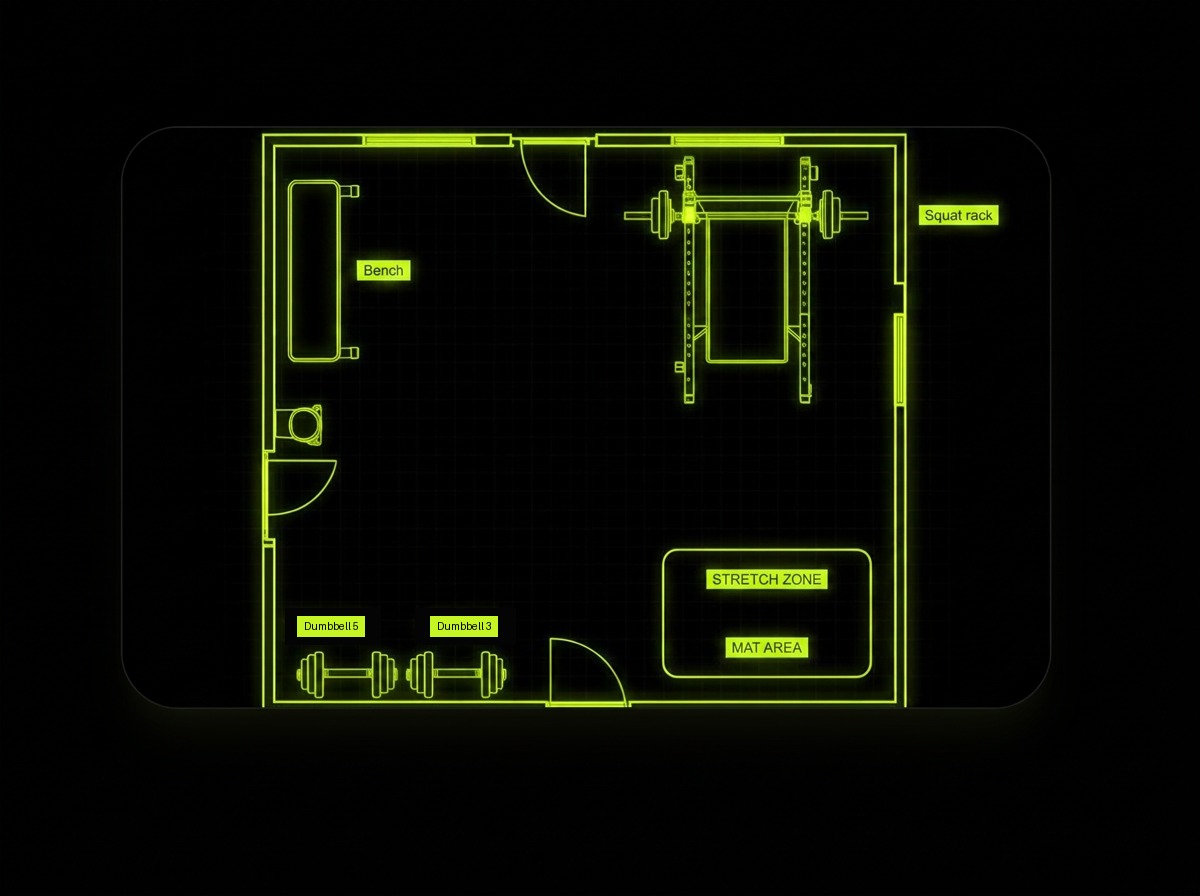
Upload photos of each room and let the AI sweep them for everything it can see — including duplicates and items it can't name, which it hands back for you to map or add manually. Anything missing can be added by hand and enriched by AI in seconds.
- Auto-detected equipment from photos
- Interactive floor plan per room
- Add machines manually and let AI fill in the details
Invite members, organise groups
Share a single invite code or link. Sort members into groups — beginners, seniors, rehab, HIIT — and manage them from one screen.
- One-tap join via code or link
- Unlimited groups per center
- Bulk member management
Assign programs per group
Build a program once and assign it to a group. Every member sees it on their Today view, tailored to their body, readiness and soreness.
- Group programs surface on member Today
- Adapted per member (age, sex, injuries)
- Swap or update anytime — members get the new plan
QR labels in the format your printer likes
Print cut sheets to snip apart or A4 laser sticker sheets that peel straight onto the frame — 6 up to 24 labels per page. Every label carries the machine name, its room and the FitMove.ai wordmark.
- Cut sheets and A4 laser sticker layouts
- Cut lines, machine name and room on every label
- Scan opens that machine — visitors are guided into your center
Member profiles and insights for staff
Your team can open any member, adjust goals, injuries and availability, and rebuild the program on the spot. A center overview shows activity trends, and an attention list surfaces the members who need a nudge.
- Edit a member and regenerate their plan
- Center-wide activity and progress overview
- Attention list: inactivity, low intake, hydration, too hard or too easy
A profile for every machine
Your staff photographs each machine once. The AI reads the instruction sticker on the frame, recognises brand and model, and writes the exercises that machine supports — with setup cues, execution steps, common mistakes and a demo. Wrong photo on the wrong machine? It gets flagged before it goes live.
- Photo per machine, taken on any phone
- AI reads the sticker and writes the exercise guide
- Mismatched photos are caught automatically
Activity you can actually read
Every scan, logged set, session and member join is recorded with the room and machine it happened on. See today, the last week, month or quarter: which rooms fill up, which machines earn their floor space, when your busiest hours are — and export the raw log whenever you need it.
- Per-room and per-machine usage, plus busiest hours
- Live event feed including anonymous scans
- CSV export for any range
Fitness testing without the kiosk
Your members run a six-domain Wellness Checkup on a phone or a tablet in the studio: balance, mobility, strength, cardio, body and mind, scored into a Fitness Age. Reports can be shared with the center, so your trainers see the numbers before the session starts.
- Six camera-measured domains, no hardware to buy
- Fitness Age and retest trends per member
- Shared reports visible to staff for active members
Prescriptions your trainers can send
A trainer builds a session for a member and sends it to their phone, screened against that member's injuries and conditions on the way out. The member accepts or declines, and the trainer sees which. The plan on the floor and the plan in the app are the same plan.
- Session lands on the member's Today screen
- Injury conflicts flagged before it sends
- Accepted or declined, visibly
Measurements on the record
Whatever your staff measure — weight, composition, resting pulse, blood pressure, circumferences — goes on the member's chart with the date and the name of whoever took it. Members see the trend in their own app, and a change of trainer does not lose the history.
- Composition, vitals and tape measurements
- Charted by range with change since last time
- Stamped with who recorded it and when
Calendars and programs, built in
The shared center calendar shows every hold and event — members book, staff see capacity and instructors. The program builder lets your instructors draft multi-week plans from the exercise catalogue, with live muscle-balance impact and warnings when a movement clashes with a member's injury.
- Shared calendar with staff-only operational details
- Events with Today-page promotion for members or staff only
- AI-assisted program builder, aware of injuries and your equipment
Every member, one page
Search your members and open a full page per person: contact details, hold memberships, training activity, health notes and staff notes — editable in place, with a direct message button when something needs a conversation.
- Searchable member, staff and invite overview
- Hold membership managed right on the member's page
- Training, health and notes in one editable record
How it works
Create your center
Sign up, name your center, invite your staff.
Add rooms & members
Upload photos and floor plans. Share the invite code.
Assign & go
Group your members and push programs to their phones.
Common questions
Keep exploring
Related capabilities
Floor plan
A 2D map of your gym. Tap a piece of equipment to start training with it.
Learn moreRoom scan
Photograph your space. We detect every piece of equipment and design around it.
Learn moreCommunity & belonging
Member numbers, a house code, weekly rituals, earned symbols and one-tap recognition.
Learn more